This is the flash intro I've made for our website. The story is based on the script that Dung and Tri wrote before. All the stuff such as the sky, the trees, the fence, etc was drawn by Tri, while the characters were created by Dung. I was responsible for the animation and sound design. The animation is not kind of hard, but the sound effects are big problems. At 1st, we just thought about the sound effects, not the way to create these sounds. Then I had to design and build several ways to make these sound effects.
Click to download the animated movie: Link
Monday, May 14, 2007


Saturday, May 12, 2007
Prototype
This is our prototype. It's like a sketch how our website will be looking, but the look and feel is almost the same. Tri drew the background and stuff, I did the animation part and the transitions for our website. It took us several days to discuss, draw and animate things. Please give us some useful comments. Thanks.
Link to download
Link to download
Tuesday, May 8, 2007
Soundtrack for the Intro Flash
This is the soundtrack that I did for the intro flash. It's the scene that the sheep FooFoo walking around his farm and feeling so good. The music is very funky, happy and funny. Moreover, it relates to the countryside atmosphere. Let's enjoy it!
Wednesday, May 2, 2007
Some hosting sites
We're gonna upload our website on the network, so I've checked some reliable hosting sites.
Free
Yahoo Geocities
Google Page Creator
Domain Names
Domain name registries around the world
Godaddy
Buying Space
Good Hosting Services
Media Temple
Good Web Resources
75 Helpful Web Design Resources
Free
Yahoo Geocities
Google Page Creator
Domain Names
Domain name registries around the world
Godaddy
Buying Space
Good Hosting Services
Media Temple
Good Web Resources
75 Helpful Web Design Resources
Spore website

Spore is a website of Will Wright, the creator of The Sims. It was created to promote an online game, in which there are several phases through the development of civilization and technology. There are also a series of characters, based on each period of phase. I think the idea is based on the development of human being, as you can see, each phase is designed according to a specific point of time in human history.

 Some screenshots of creatures
 Some screenshots of The Space Phases
** Note: we'll consider whether we'll make use of CSS style in Flash to make it more easy to change.
Thursday, April 26, 2007
Warren Holder personal website
This is very cool personal website using Flash. The background is totally white, the graphics is dark gray and the activated links are red. When first looking at this, you might feel bored because of the design and style. However, that's its extreme simplicity which makes it more special and never out-of-dated. His other artworks on this site are also very simple with plain shapes and a few colors. Everything seems to be there to connect with another and build up a harmony and beautiful style.

 ** You can visit it more: Warren Holder

 ** You can visit it more: Warren Holder
Wednesday, April 25, 2007
Flash Preloader
Some coding for Flash Preloader:
A simple preloader:
Smart Webby
A preloader with feedback:
Best Flash V2.2
Advanced preloader in a separate movieclip:
Sitepoint
A simple preloader:
Smart Webby
A preloader with feedback:
Best Flash V2.2
Advanced preloader in a separate movieclip:
Sitepoint
Saturday, April 21, 2007
"Don't Click It" website
http://www.dontclick.it/
I've found this website and I think it's very cool and interesting. What I really like in this website is the smooth animation and the quick interaction. Besides that, it's also because we don't need to click to navigate, just move the mouse over the "buttons" or the navigation and things will happen normally. There are also the history of clicking and some experiments for users to check their "nature of clicking", as well as some online "training course" how to use moving mouse instead of clicking. Actually, I think that's a good thought of not overusing clicking. However, when navigating this website, I do "miss" the clicking a lot =.= moreover, since the interaction between users and the interface within the mouse-overs, it's impossible to do something else while waiting for something loading in this website. As whenever we move the mouse, the interaction has been changed into something else. Therefore, it's kind of disturbing and annoying for users to wait and just interact within this website once they've opened it.
* Note: first time I came to this site, I really like this and actually want our website to be something like this :p since our main navigation is not stationary, but moving all the time due to its specific page. Then I thought maybe mouse movement is more suitable and more interesting for users to interact with. However, due to the limited time, we should not do something like this, but concentrate on animation and design :p
Thursday, April 19, 2007
Accessibility
I've found something about the accessibility. Here they are:
WAI Guidelines
Accessibility Wizard : Your Role
Web Accessibility in Mind: Videos
Watchfire: Accessibilty Testing
WAI Guidelines
Accessibility Wizard : Your Role
Web Accessibility in Mind: Videos
Watchfire: Accessibilty Testing
Saturday, April 14, 2007
Good Flash tutorial site
I've just found out some cool Flash tutorial site. I visited them and found them very interesting and easy to understand the processing steps.
Tutorialized
Gotoandlearn.com : Video Tutorials
FlashKit Dynamic Content Tutorial
Informit
Adobe
Ultra Shock
Tutorialized
Gotoandlearn.com : Video Tutorials
FlashKit Dynamic Content Tutorial
Informit
Adobe
Ultra Shock
Flash tutorials :D
There are some online tutorials of Flash. Since we'd not know whether the storyboard will be expanded or not, so I searched for some useful tutorials which may need to be used later.
- Rain animation: http://www.toxiclab.org/tutorial.asp?ID=151
- Flash Utilities Percentage Preloader: http://www.tutorialized.com/tutorial/Percentage-Preloader-MX/20360
- Flash ActionScript Shaking Effect: http://www.tutorialized.com/tutorial/Shake-Effect/11533
- Defoliation animation: http://www.tutorialized.com/tutorial/Defoliation-animation/19562
- Copy the motion in an imported video: http://www.tutorialized.com/tutorial/Copy-the-motion-in-an-imported-video/18368
- Rain animation: http://www.toxiclab.org/tutorial.asp?ID=151
- Flash Utilities Percentage Preloader: http://www.tutorialized.com/tutorial/Percentage-Preloader-MX/20360
- Flash ActionScript Shaking Effect: http://www.tutorialized.com/tutorial/Shake-Effect/11533
- Defoliation animation: http://www.tutorialized.com/tutorial/Defoliation-animation/19562
- Copy the motion in an imported video: http://www.tutorialized.com/tutorial/Copy-the-motion-in-an-imported-video/18368
Tuesday, April 10, 2007
Production Schedule
This is our Production Schedule in .xls file!


screenshot
http://www.4shared.com/file/14104996/1a51c7f9/ACK_Gannt_070407.html
Link for download:
Saturday, April 7, 2007
Code To Load The External SWF File
Since our project will be done totally in Flash and there're a lot of swf movies and stuff, we should think about a better way to manage all the files properly. It's hard to mix all the swf together, I've found the below coding to combine all the small swf files:
var mcl:MovieClipLoader = new MovieClipLoader();
var mclL:Object = new Object();
mclL.onLoadInit = function() {
loader._visible = false;
loader.percent.text = "";
}
mcl.addListener(mclL);
mcl.loadClip("swf1.swf",holder);
var mcl:MovieClipLoader = new MovieClipLoader();
var mclL:Object = new Object();
mclL.onLoadInit = function() {
loader._visible = false;
loader.percent.text = "";
}
mcl.addListener(mclL);
mcl.loadClip("swf1.swf",holder);
Using CSS Style in Flash
The below coding is used for using CSS style in Flash. Instead of having a large block of text using the same font, color, and style, we can easily use CSS to define custom text properties without having to break our text into multiple text fields.


Saturday, March 31, 2007
Flash tutorials for navigation
Hey guys, I've just found something cool for us: tutorials for navigation. I think we can consider using 1 of these styles for the sub-navigation.
http://www.tutorialized.com/tutorial/Mask-Flash-menu/18335
http://www.flashvault.net/tutorial.asp?ID=20
http://www.flashvault.net/tutorial.asp?ID=123
http://www.flashvault.net/tutorial.asp?ID=102
http://www.tutorialized.com/tutorial/Mask-Flash-menu/18335
http://www.flashvault.net/tutorial.asp?ID=20
http://www.flashvault.net/tutorial.asp?ID=123
http://www.flashvault.net/tutorial.asp?ID=102
Avi Melman website
I personally think that is an interesting website to play with, however, there're still several shortcomings. (www.avimelman.com)
 First, I really like this style of drawing, everything is very clear and smooth, the colors are harmonious. Besides that, animation seems to be one of the most successful parts due to its funniness and well-balanced activities. The music is also suitable and reminds me of some series of cartoon I used to watch when a child. Melman also makes a good use of sound effects, which does not only gives users interesting audio feedback, but also let users get more involved in interacting this website. I also think the button 'Animation off' and 'Music off' are necessary since not all people coming to this website wanna watch the same animation and listen to the background music all the time. Maybe they just wanna read some info or download some available voice demo, so the background music or animation may make them get bored soon and frustrated.
There are many good points, but also some dull ones. The text is easy to read, but kind of small. Moreover, actually the background and the main objects are not contrast enough, so the drawing is not so impressive when audiences see it at the 1st time. And another thing that makes people easy to get bored is the same background, everything takes place in the same place. Though the animation, as I mentioned before, is interesting and funny, but the unchanged background can turn into uninteresting after a few clicks.
 First, I really like this style of drawing, everything is very clear and smooth, the colors are harmonious. Besides that, animation seems to be one of the most successful parts due to its funniness and well-balanced activities. The music is also suitable and reminds me of some series of cartoon I used to watch when a child. Melman also makes a good use of sound effects, which does not only gives users interesting audio feedback, but also let users get more involved in interacting this website. I also think the button 'Animation off' and 'Music off' are necessary since not all people coming to this website wanna watch the same animation and listen to the background music all the time. Maybe they just wanna read some info or download some available voice demo, so the background music or animation may make them get bored soon and frustrated.
There are many good points, but also some dull ones. The text is easy to read, but kind of small. Moreover, actually the background and the main objects are not contrast enough, so the drawing is not so impressive when audiences see it at the 1st time. And another thing that makes people easy to get bored is the same background, everything takes place in the same place. Though the animation, as I mentioned before, is interesting and funny, but the unchanged background can turn into uninteresting after a few clicks.
Saturday, March 24, 2007
Converse website
The Converse website is used to promote many shoe styles of Converse corporation.
What I really like is the loading page icon, that is a shoe. Depending on which page is loading, the shoe will show different states, for example changing the color of the shoe over and over again. Though it's very cute to have something like this, I think Converse can help users predict the response time in downloading by showing the size of the download next to the shoe.

 It is very useful when there always is additional information about the link. Whenever users is moving the mouse over the link, the link is change into the information explaining what the link really means. I think it's good to help new users interact more accurately and effectively. By doing this, Converse has shown respect to supporting users’ navigation behavior.
Another thing that I really like is the sound effects (actually I always like websites offering audio feedbacks to users). Though the designers just use one sound effect to illustrate the states of various kinds of button, it's kind of nice to let users know they've successfully pressed a button.
A successful point of this website is the well design main navigation. Whenever users move over it, the options appear actively and strongly, which fits the main theme of such a site promoting shoes for teenagers like that. Besides that, if the mouse is out of the specific area, these options automatically become their original states smoothly. Moreover, before coming to their positions, these buttons rock themselves to and fro. Though this kind of movement is very simple, it shows the extremely careful observation of the designers.
 As Converse is the type of stylish shoes for young people and who wanna show off :p so the background needs to be powerful to fit with other elements such as the navigation, the loading icon, etc. I have to admit the background is quite messy, but due to its confusion, an extreme stylish, strong and modern mood can be built stably and lively. Moreover, the background is filled with the images of good-looking and healthy models wearing Converse shoes, giving a modern and stable look for the whole site. It also makes the site different from other simple sites. It's surely "Less is More", but sometimes "More is More".
* Note: we decided to design a similar navigation, in which the options will pop up when users move over it.
What I really like is the loading page icon, that is a shoe. Depending on which page is loading, the shoe will show different states, for example changing the color of the shoe over and over again. Though it's very cute to have something like this, I think Converse can help users predict the response time in downloading by showing the size of the download next to the shoe.

 It is very useful when there always is additional information about the link. Whenever users is moving the mouse over the link, the link is change into the information explaining what the link really means. I think it's good to help new users interact more accurately and effectively. By doing this, Converse has shown respect to supporting users’ navigation behavior.
Another thing that I really like is the sound effects (actually I always like websites offering audio feedbacks to users). Though the designers just use one sound effect to illustrate the states of various kinds of button, it's kind of nice to let users know they've successfully pressed a button.
A successful point of this website is the well design main navigation. Whenever users move over it, the options appear actively and strongly, which fits the main theme of such a site promoting shoes for teenagers like that. Besides that, if the mouse is out of the specific area, these options automatically become their original states smoothly. Moreover, before coming to their positions, these buttons rock themselves to and fro. Though this kind of movement is very simple, it shows the extremely careful observation of the designers.
 As Converse is the type of stylish shoes for young people and who wanna show off :p so the background needs to be powerful to fit with other elements such as the navigation, the loading icon, etc. I have to admit the background is quite messy, but due to its confusion, an extreme stylish, strong and modern mood can be built stably and lively. Moreover, the background is filled with the images of good-looking and healthy models wearing Converse shoes, giving a modern and stable look for the whole site. It also makes the site different from other simple sites. It's surely "Less is More", but sometimes "More is More".
* Note: we decided to design a similar navigation, in which the options will pop up when users move over it.
HotMonkeyDesign website
HotMonkeyDesign
This website is kind of fun to explore. In my opinion, it's both informative and exploratory due to its experience design.
First, what I like best in this website is the music and the sound effect. It’s especially good to combine sounds with visual cues to help users know they've just moved the mouse over a button or something like that. I think HotMonkeyDesign makes strong use of sound in its interface. We can easily see that different buttons make different audio feedbacks, and the sounds are quite impressive, giving it an unique personality.
Another good experience that HotMonkeyDesign offer is it always gives a message to show how many percents have the user been loading and also some humorous sentences to make people feel less bored and impatient! I think that's a good point that every page needs to apply in their own site. Some sites takes me time to load but never shows where I am now, so sometimes I get bored and angry before visiting them.
 The next nice experience to me is the very perfectly smooth movement and design. After a minute of waiting, audiences can view a 30-second intro. The movement is fast and very smooth, which make users feel more interesting and curious. The design looks very clean and uncomplicated, but it requires extremely good skills of drawing on the computer and using Flash to do such an animation interface like that. It's easily seen that the graphics are very interesting to look at and the chosen colors are very harmonious with the main theme of the site.
 The navigation is very easy to use since the designers use the plain texts. Some buttons are disguised as small bubbles, giving users another chance to feel interesting and surprising after finding out this kind of button. The choice of typography is kind of plain, they just use san-serif for the whole site, but I think it's suitable for the whole theme as well as emphasizes other important things.
 Lastly, I like the animation always works in the background after we finish loading a page. The site seems to be "moving" while people are exploring it, then they'll be curious because they don't know what will happen next! In my opinion, this doesn't only draw audiences' attention, but also makes the site more special.
*Note: it's sure we can do some similar effects like this site. I think we need to re-visit it more and think about its sound effects and music, it's great, isn't it? :p
This website is kind of fun to explore. In my opinion, it's both informative and exploratory due to its experience design.
First, what I like best in this website is the music and the sound effect. It’s especially good to combine sounds with visual cues to help users know they've just moved the mouse over a button or something like that. I think HotMonkeyDesign makes strong use of sound in its interface. We can easily see that different buttons make different audio feedbacks, and the sounds are quite impressive, giving it an unique personality.
Another good experience that HotMonkeyDesign offer is it always gives a message to show how many percents have the user been loading and also some humorous sentences to make people feel less bored and impatient! I think that's a good point that every page needs to apply in their own site. Some sites takes me time to load but never shows where I am now, so sometimes I get bored and angry before visiting them.
 The next nice experience to me is the very perfectly smooth movement and design. After a minute of waiting, audiences can view a 30-second intro. The movement is fast and very smooth, which make users feel more interesting and curious. The design looks very clean and uncomplicated, but it requires extremely good skills of drawing on the computer and using Flash to do such an animation interface like that. It's easily seen that the graphics are very interesting to look at and the chosen colors are very harmonious with the main theme of the site.
 The navigation is very easy to use since the designers use the plain texts. Some buttons are disguised as small bubbles, giving users another chance to feel interesting and surprising after finding out this kind of button. The choice of typography is kind of plain, they just use san-serif for the whole site, but I think it's suitable for the whole theme as well as emphasizes other important things.
 Lastly, I like the animation always works in the background after we finish loading a page. The site seems to be "moving" while people are exploring it, then they'll be curious because they don't know what will happen next! In my opinion, this doesn't only draw audiences' attention, but also makes the site more special.
*Note: it's sure we can do some similar effects like this site. I think we need to re-visit it more and think about its sound effects and music, it's great, isn't it? :p
Lollipop research
Actually when we thought of making a navigation for our website, we wanna choose something cute like candy or flower. But it's hard to choose which candy is suitable for our site, so I had to research something about candy and then our group agreed that lollipop was the best choice. It's totally because of its colorful design, fun and chic stripes as well as very cute shape. I think it'll be giving a lively and special look for our site, helping us draw more users' attention and gain more curious audiences.

My research will help Dung, the designer and Tri, the information architect know which kind of lollipop they can use to illustrate the main navigation bar and where they can place "this kind of navigation" to fit properly the whole theme and portion. Besides that, I hope that this research will help Dung make up any new stories for our site.
 Spinning-Lollipop
 Everyday Lollipop Favor:
A very unique way to say thank you to your guest,
having many flavors
 Lollipops: Bear-Assorted Flavors
 Rainbow Lollipop

Lollipop Drum: The easy-to-hold drum on a stick!
Kids love the colorful design of the drum.
Kids love the colorful design of the drum.
My research will help Dung, the designer and Tri, the information architect know which kind of lollipop they can use to illustrate the main navigation bar and where they can place "this kind of navigation" to fit properly the whole theme and portion. Besides that, I hope that this research will help Dung make up any new stories for our site.
 Spinning-Lollipop
 Everyday Lollipop Favor:
A very unique way to say thank you to your guest,
having many flavors
Lollipops: Bear-Assorted Flavors Rainbow Lollipop
*Note: hopefully, these images will assist you guys know exactly what we need and design.
Friday, March 16, 2007
Websites that I like
There are several webpages that I wanna show you guys. Some are because of their navigation and sound effect, some are due to their good choices of colors and beautiful graphics.
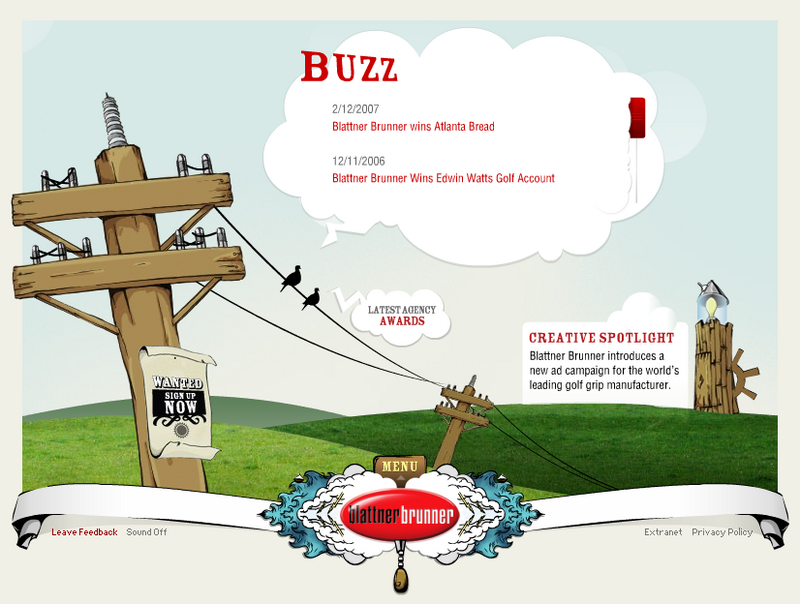
The 1st one is Blattner Brunner, which is a professional advertising company. What I like from this kind of website is the cartoon style and its gorgeous graphics. Actually, that's what we're going to deliver to our audiences: some animations in the background, clear, eye-catching and united design graphics, as well as an evident purpose of the website. 2ndly, the sound effects are really suitable for this kind of style and somehow funny, so the audiences always feel interesting when visiting the site. In my opinion, it's always especially good to combine sound with visual cues and whenever the users click on a button or something, they will feel more involved in the site and want to explore more about the site.

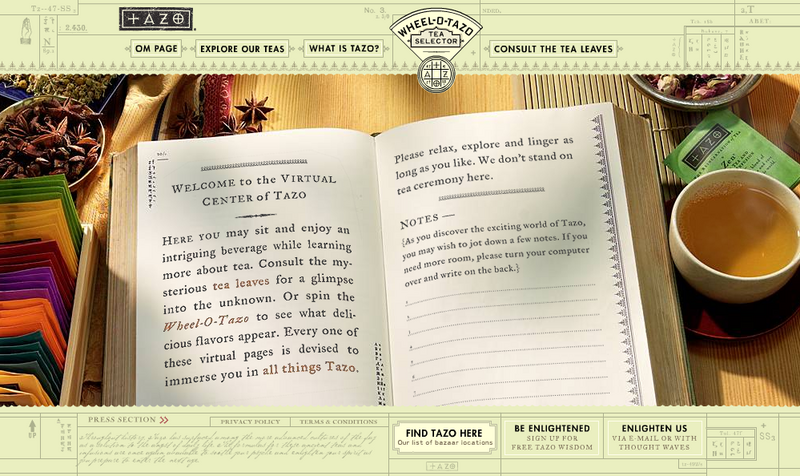
The next one is the homepage of Tazo Tea. I like the strong and outstanding combination between the drawing part and the images, which helps design a relevant style of tea in general. Like the Blattner Brunner, this website also makes a strong use of sounds and music for the navigation. The sounds of various instruments create a traditional mood for the whole website. The icon for loading page is a tea pot which gets involved clearly and closely to the main goal of the site. I think the site is influenced by Asian style, in which the tea mainly comes from; so it can reach a great amount of audiences and may gain some successful achievements in this kind of commercial websites.

My opinions for our Ack Ack websites:
- We need some humorous animations in the background to make it more real and enjoyable.
- It should be explorable as well as informative, because our characters are new to the market, so the information about who/when/where/why is very neccessary. In addition, once the target audiences like to interact with everything we put on the website, that's our success.
- The design must be clean, stable and suitable to the main theme of the site.
- Some some effects or music are needed, which correlate with their meaning, to reinforce the information and visual elements.
The 1st one is Blattner Brunner, which is a professional advertising company. What I like from this kind of website is the cartoon style and its gorgeous graphics. Actually, that's what we're going to deliver to our audiences: some animations in the background, clear, eye-catching and united design graphics, as well as an evident purpose of the website. 2ndly, the sound effects are really suitable for this kind of style and somehow funny, so the audiences always feel interesting when visiting the site. In my opinion, it's always especially good to combine sound with visual cues and whenever the users click on a button or something, they will feel more involved in the site and want to explore more about the site.
The next one is the homepage of Tazo Tea. I like the strong and outstanding combination between the drawing part and the images, which helps design a relevant style of tea in general. Like the Blattner Brunner, this website also makes a strong use of sounds and music for the navigation. The sounds of various instruments create a traditional mood for the whole website. The icon for loading page is a tea pot which gets involved clearly and closely to the main goal of the site. I think the site is influenced by Asian style, in which the tea mainly comes from; so it can reach a great amount of audiences and may gain some successful achievements in this kind of commercial websites.
My opinions for our Ack Ack websites:
- We need some humorous animations in the background to make it more real and enjoyable.
- It should be explorable as well as informative, because our characters are new to the market, so the information about who/when/where/why is very neccessary. In addition, once the target audiences like to interact with everything we put on the website, that's our success.
- The design must be clean, stable and suitable to the main theme of the site.
- Some some effects or music are needed, which correlate with their meaning, to reinforce the information and visual elements.
The very first days of the project!
Full Name: Huynh Nguyen Phuong Anh
SID: s3131319
Team: Ack Ack
Role: Project Leader
Contact: s3131319@rmit.edu.vn
Actually, when our group just had 2 members: Tu Dung and I, I was the Project Leader as well as Information Architect. I had to admit undertaking these 2 roles are so heavy to me, and then I found Minh Tri, who was both a good designer and a thoughtful architect. So I assigned him to be the Information Architect and he somehow can easily help Dung to sketch and draw stuff. Luckily, we have the same interest and desire so everything is still very smooth until now.
About me, I really love the style of simplicity and cleanliness, therefore a lot of my works always follow this kind of style. I can draw simply on the paper, but I haven't tried to draw on the computer since I find it hard for me to do so bu Illustrator or Photoshop. Therefore, you guys will find out that I always use photography to express my ideas and stuff.
My biggest master is Paul Rand. At the 1st sight I saw his work (it's a poster of IBM), I knew I fell in love with him and his style :p Everything is sharp but combined all together very smoothly and perfectly. His drawing and typography is very simple, but always meaningful and considerate.
I'm good at Flash and HTML/PHP as well as writing and researching skill, so I'll assume the work of correcting the writing stuff for the group and researching everything they need, such as similar websites, some technical skills, etc. I'm also good at managing time, setting and following a timeplan and assigning work for other people in the group; hence, they let me be the Project Leader.
There are some artworks that I've done lately:
 A homepage I designed in Web page Construction course
 This is Ericssion's logo I drew in Illustrator
 The poster of appealing safe driving
 A photo I took in district 7, near RMIT
SID: s3131319
Team: Ack Ack
Role: Project Leader
Contact: s3131319@rmit.edu.vn
Actually, when our group just had 2 members: Tu Dung and I, I was the Project Leader as well as Information Architect. I had to admit undertaking these 2 roles are so heavy to me, and then I found Minh Tri, who was both a good designer and a thoughtful architect. So I assigned him to be the Information Architect and he somehow can easily help Dung to sketch and draw stuff. Luckily, we have the same interest and desire so everything is still very smooth until now.
About me, I really love the style of simplicity and cleanliness, therefore a lot of my works always follow this kind of style. I can draw simply on the paper, but I haven't tried to draw on the computer since I find it hard for me to do so bu Illustrator or Photoshop. Therefore, you guys will find out that I always use photography to express my ideas and stuff.
My biggest master is Paul Rand. At the 1st sight I saw his work (it's a poster of IBM), I knew I fell in love with him and his style :p Everything is sharp but combined all together very smoothly and perfectly. His drawing and typography is very simple, but always meaningful and considerate.
I'm good at Flash and HTML/PHP as well as writing and researching skill, so I'll assume the work of correcting the writing stuff for the group and researching everything they need, such as similar websites, some technical skills, etc. I'm also good at managing time, setting and following a timeplan and assigning work for other people in the group; hence, they let me be the Project Leader.
There are some artworks that I've done lately:
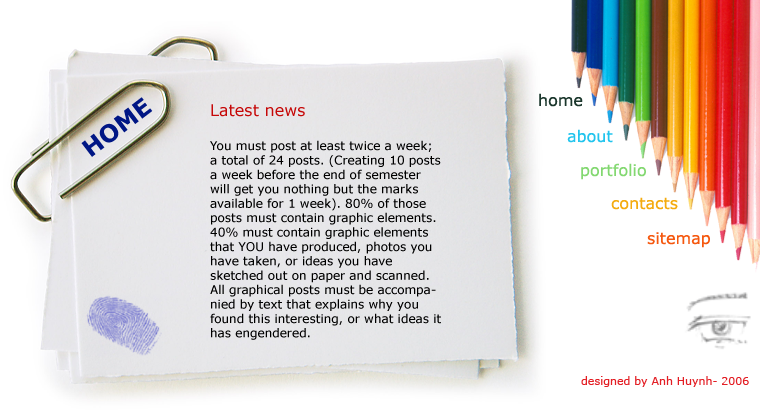 A homepage I designed in Web page Construction course
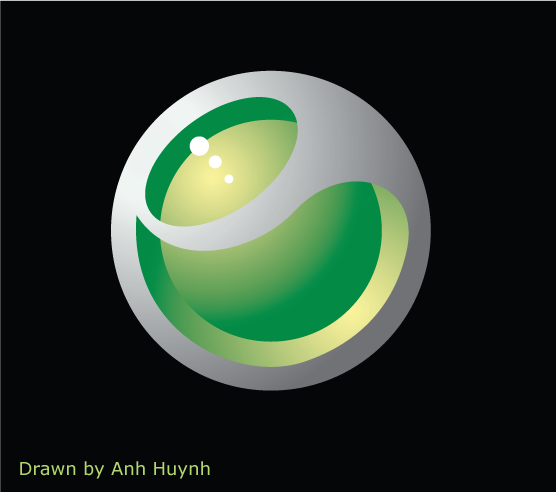 This is Ericssion's logo I drew in Illustrator
 The poster of appealing safe driving
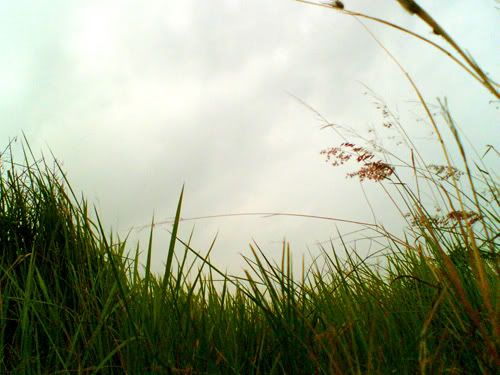 A photo I took in district 7, near RMIT
Subscribe to:
Comments (Atom)
